
Managing a catalog with thousands of SKUs in Google Shopping feels like herding cats through a laser maze. You're not just running ads; you're orchestrating data, bids, and product signals across a platform that changes its algorithm more often than I change my coffee order.
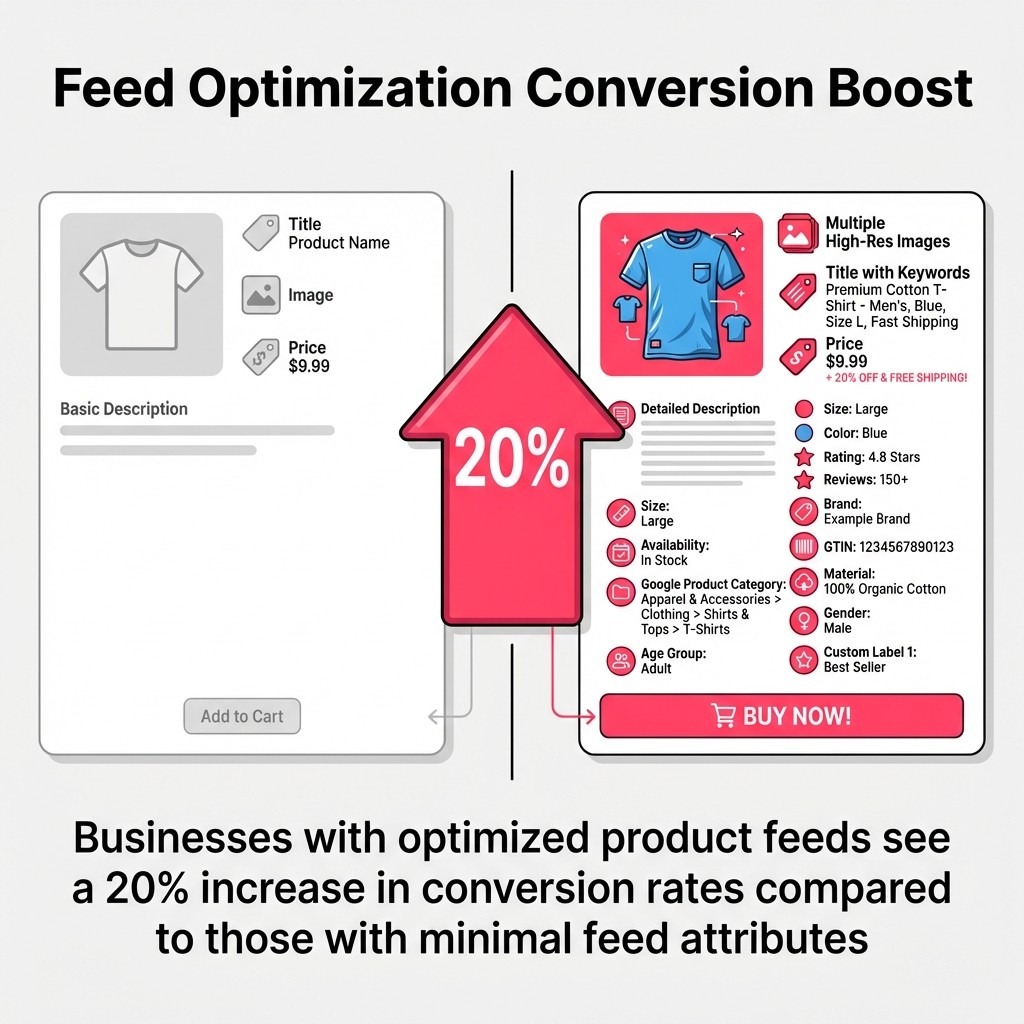
Optimized product feeds correlate with about a 20% lift in conversion rates versus minimal feeds. Source: Rozee Digital.
That stat isn't a promise. It's a benchmark that separates ecommerce brands that scale from those that stagnate.
I've spent years running Google Shopping campaigns for large catalogs ranging from 500 products to 50,000. The tactics that work for small inventories fall apart at scale. You can't manually optimize 10,000 product titles. You can't babysit bid adjustments for every SKU. You need systems, rules, and frameworks that let your catalog work harder than you do.
This guide walks through 10 advanced tactics I use to optimize large catalogs. We'll cover feed architecture, automation strategies, and bidding frameworks that actually scale. You'll learn how to structure product data so Google's algorithm works with you instead of against you. And you'll discover which attributes move the needle when you're managing thousands of products.
By the end, you'll have a playbook for turning a massive, unwieldy catalog into a revenue-generating machine.
Your product feed isn't just a file upload. It's the foundation of every impression, click, and conversion you'll generate. When you're managing 5,000+ products, feed architecture determines whether you can optimize efficiently or spend your days firefighting data errors.
Think of your feed like an automotive parts warehouse. You wouldn't throw brake pads, oil filters, and spark plugs into random bins. You'd organize by category, vehicle compatibility, and part number so you could find what you need fast.
Your Google Shopping feed needs the same systematic organization.
Start with the mandatory attributes Google Shopping requires. Every product needs an ID, title, description, link, image link, price, and availability. But large catalogs can't stop there.
Add these attributes to every product:
The product type attribute deserves special attention. This is your chance to build a hierarchy that mirrors how you think about your inventory. For automotive parts, it might look like: "Parts > Brakes > Brake Pads > Ceramic Brake Pads."
Google Product Category uses Google's taxonomy. You're telling Google exactly what each product is in their language. GTINs are unique product identifiers that enable Google to match products with its internal product database, which improves your visibility for exact product searches.
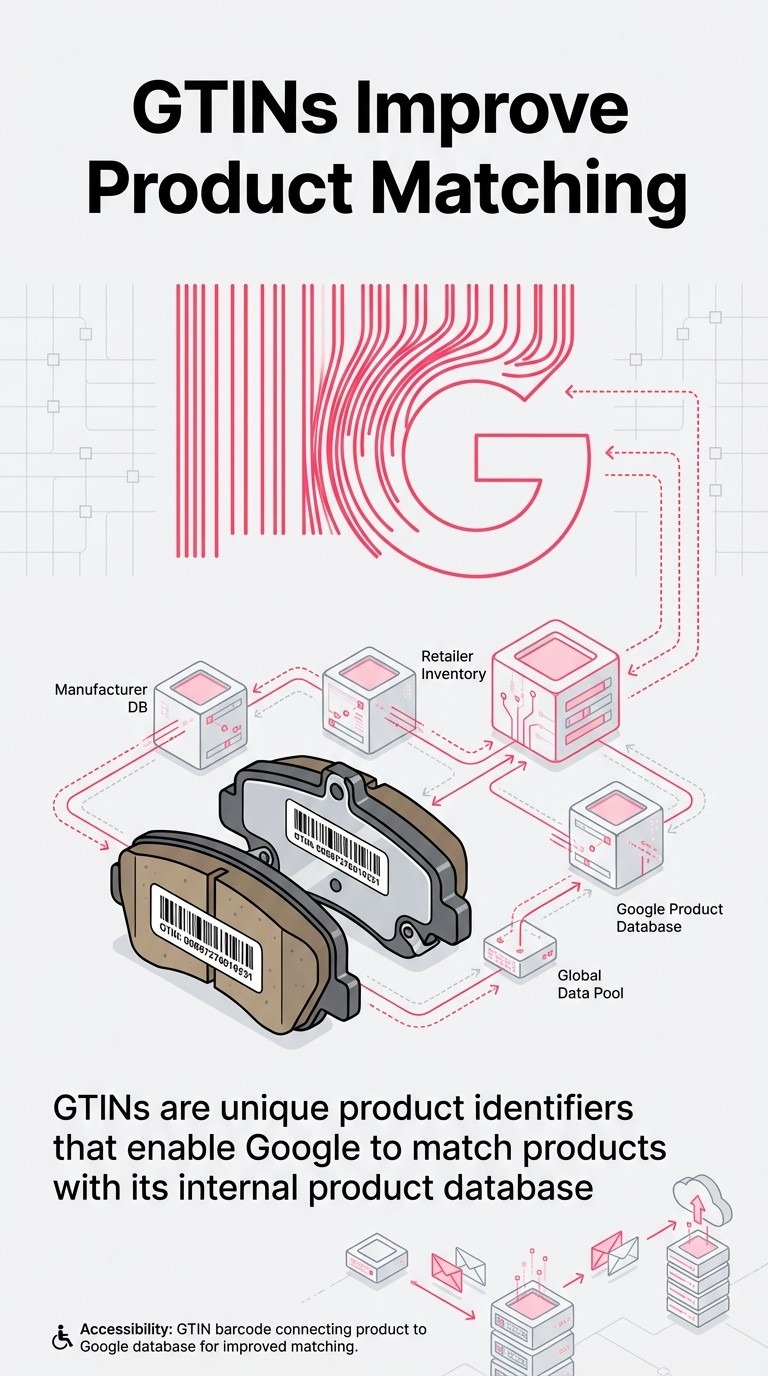
GTINs help Google match your products to its catalog for stronger relevance and eligibility. Source: Marpipe.
Custom labels are where large catalog optimization gets interesting. You have five custom label fields (0-4) to segment products however you want. Google doesn't care what you put there. These are purely for your campaign organization.
I use this framework across most large catalogs:
This structure lets you build product groups and bidding strategies based on business metrics that actually matter. You can bid more aggressively on high-margin best sellers. You can create separate campaigns for seasonal products. You can push overstock items with dedicated budgets.
The key is consistency. Whatever labeling system you choose, apply it across your entire catalog and update it regularly.
Product titles are your primary relevance signal to Google's algorithm. Google's algorithm uses title keywords to match products to search queries, applying 'title weight' to words appearing at the beginning. That front-loading principle is critical when you're optimizing thousands of products.
Manual title writing doesn't scale past a few hundred SKUs. You need a template-based system that generates optimized titles automatically.
Your title template should prioritize information in this order:
For automotive parts, a good template looks like: [Brand] [Part Type] [Specifications] [Compatibility] [Material/Features].
Example: "Bosch Ceramic Brake Pads Front Set for Toyota Camry 2018-2024"
This structure puts the most important search terms at the front while including specifics that help with long-tail queries.
Most feed management platforms like Feedonomics, Channable, or DataFeedWatch let you build title templates using rules. You're pulling attributes from your product data and arranging them according to your optimization formula.
Set up rules that adjust titles based on product category. Brake parts need different title structures than oil filters. Electronics need different structures than apparel.
Your feed platform should let you create category-specific templates. Write 10-20 templates that cover your major product categories, then map them to your entire catalog.
One client saw product titles increase impressions by 147% through optimization. The change wasn't magic. We restructured 8,000 titles to front-load the search terms their customers actually used.
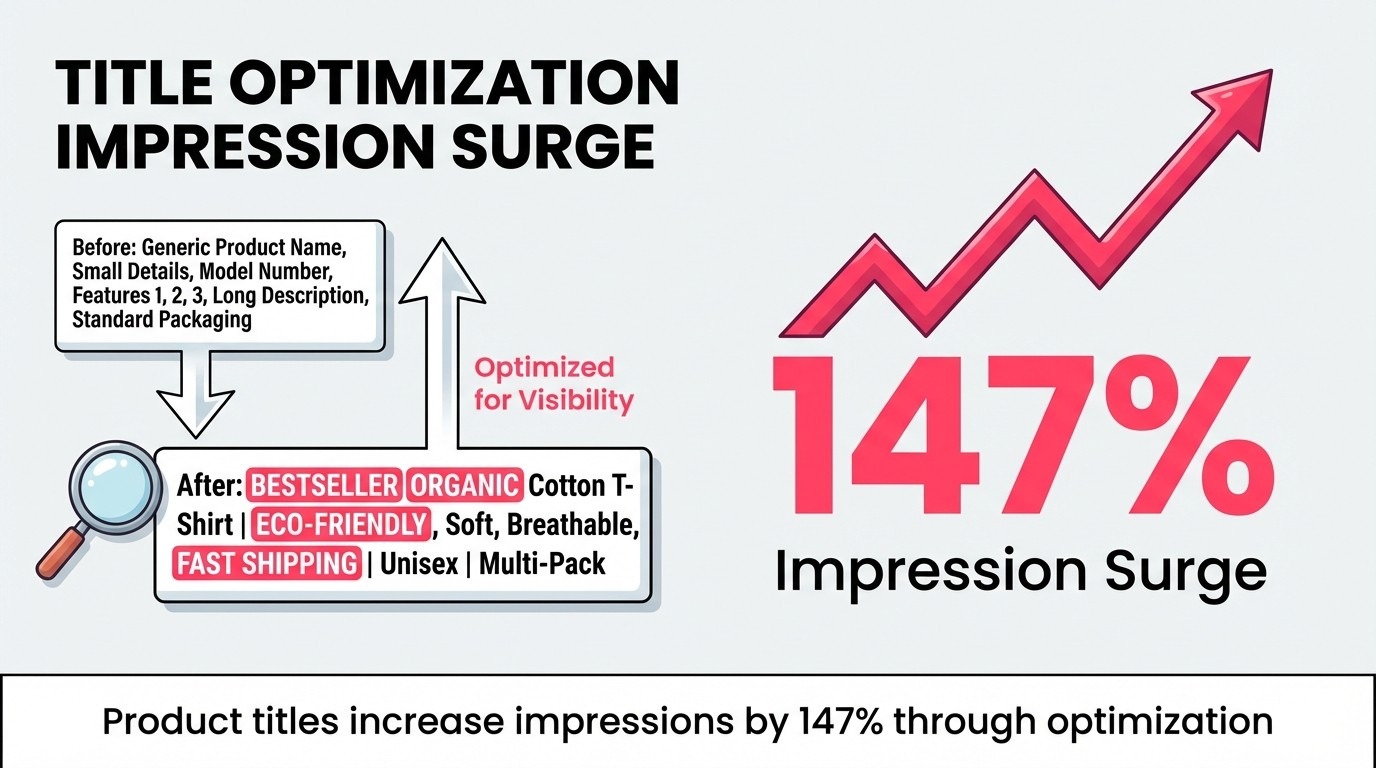
Restructuring titles can unlock triple‑digit impression gains; one client recorded +147% after optimization. Source: StoreGrowers.
Google Shopping displays different title lengths depending on device and ad format. Desktop shows more characters than mobile. Standard Shopping ads show less than Performance Max placements.
Keep your critical information in the first 70 characters. That's what shows consistently across formats.
And remember: mobile devices account for 70% of Google Shopping ad clicks. Optimize for the mobile experience first.
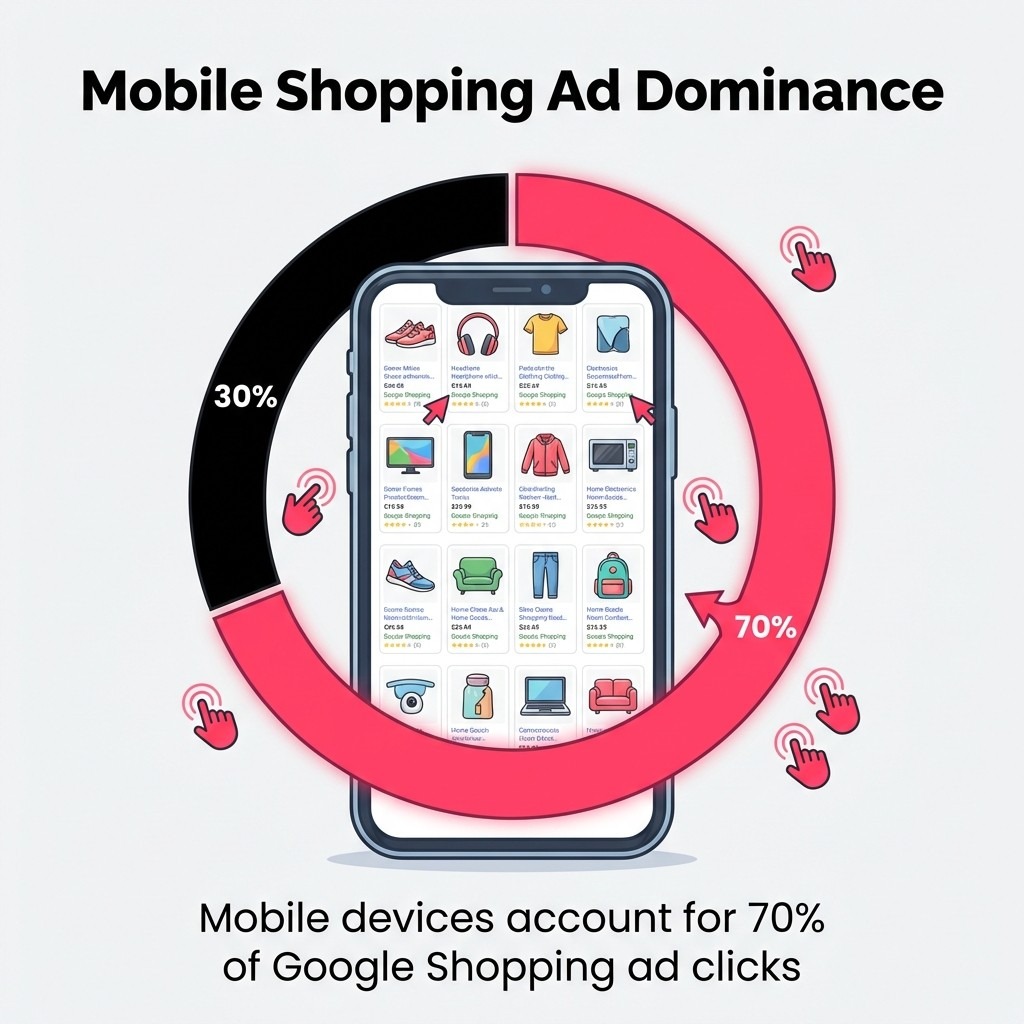
Roughly 70% of Shopping ad clicks happen on mobile—front‑load key terms for small‑screen truncation. Source: eMarketer.
Images make or break click-through rates. You could have perfect titles and competitive pricing, but if your product photo looks like it was taken with a potato in 2006, nobody clicks.
Large catalogs face a unique challenge: maintaining image quality and consistency across thousands of SKUs. You need systems that ensure every product meets technical requirements and visual standards.
Google Shopping requires images meeting technical specifications: minimum resolution around 600x600 pixels. But minimum isn't optimal. Use 1000x1000 pixels or higher for better display quality across devices.
Your images must show the actual product you're selling. No generic stock photos unless that's genuinely what you have. No watermarks. No promotional text overlaid on the image.
White or neutral backgrounds perform best for most product categories. They make your product the focus and ensure consistency across your catalog.
The product-only vs lifestyle image debate depends on your category. Automotive parts usually perform better with clean product shots. Home goods and apparel benefit from lifestyle context.
Here's what I've found: lifestyle images are particularly effective for conversion because emotionally engaged customers have an average of 306% higher customer lifetime value. The emotional connection matters more for certain product types.
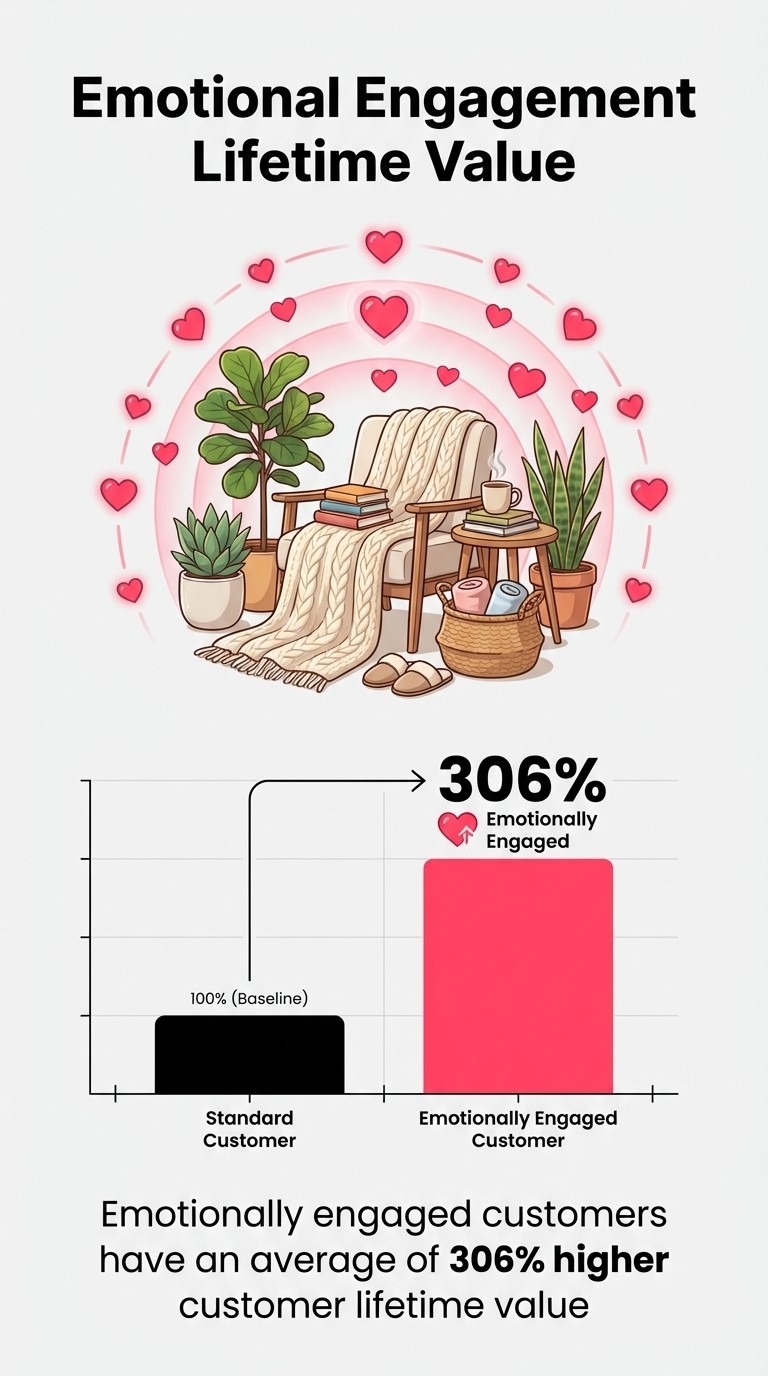
Lifestyle imagery can strengthen emotional connection and raise LTV (+306% on average). Source: Catsy.
Google Shopping allows up to 10 additional images per product. Use them strategically. Show different angles, detail shots, size comparisons, and use cases.
For technical products, include dimensional diagrams or compatibility charts as additional images. For apparel, show the product worn from multiple angles.
The additional images appear when users click into your product detail view. They're your chance to answer questions before they happen.
Product descriptions often get less attention than titles in Google Shopping optimization. That's a mistake. Descriptions feed into Google's understanding of your product and influence matching for broader queries.
Your description should expand on what's in your title without repeating it word-for-word. Include details, specifications, features, and benefits that help Google match your product to relevant searches.
Like titles, descriptions need templates for large catalogs. You can't manually write unique descriptions for 10,000 products. Build category-specific templates that pull from your product attributes.
A good template includes:
Use your feed platform's rules to assemble descriptions from attribute data. Pull specifications from fields like size, color, material, and model number. Combine them into readable sentences.
The goal is descriptive clarity, not keyword stuffing. Google's smart enough to recognize when you're gaming the system with repetitive keywords.
The more relevant attributes you include, the better Google can match your products to searches. If you sell brake pads, mention vehicle compatibility, pad material, position (front/rear), and any performance characteristics.
This attribute density helps with long-tail queries where users search for specific combinations. Someone searching "ceramic brake pads for 2020 Toyota Camry front" needs to find exactly what they typed.
Your description should contain those exact terms naturally integrated into helpful information.
Feed rules in Google Merchant Center let you modify product data after upload without changing your source feed. This is powerful for large catalogs because you can test optimizations quickly without involving your development team.
Supplemental feeds add or override attributes for specific products. You're layering additional data on top of your primary feed.
Use feed rules for broad changes that affect multiple products. If you need to append text to all product titles in a category, write a feed rule. If you want to add a custom label based on price ranges, use a feed rule.
Use supplemental feeds for product-specific overrides. Maybe 200 products need custom titles that don't fit your template. Upload a supplemental feed with just those IDs and new titles.
Supplemental feeds are also useful for adding attributes your main feed doesn't support. You might pull product data from a platform that doesn't include custom labels. Build a supplemental feed that adds them.
Here are feed rules I use frequently for large catalogs:
Feed rules update automatically as your feed refreshes. Changes you make apply to your entire catalog without manual product-by-product edits.
Feed rules let you test changes before committing them to your source feed. Want to see if front-loading brand names improves performance? Create a feed rule for a subset of products and compare results.
Split your catalog by custom label, then apply different title structures to each group. Monitor performance for two weeks. Roll out the winning approach to your full catalog.
This testing framework prevents you from making sweeping changes that hurt performance. You validate before scaling.
Campaign structure determines how easily you can manage and optimize large catalogs. Poor structure leaves you with giant product groups that can't be optimized effectively. Good structure gives you control over bidding, budgets, and performance analysis.
I've tested dozens of campaign structures. The approach that works best depends on your catalog composition and business priorities. But some principles apply universally.
Your product groups should reflect how you want to allocate budget and adjust bids. Think about your optimization priorities: Are you optimizing by product category? By margin? By sales velocity?
For most large catalogs, I start with category-based campaign structure. Each major product category gets its own campaign. Within each campaign, subdivide by brand, product type, or custom labels.
Example campaign structure for an automotive parts catalog:
This structure lets you set campaign budgets by category and adjust bids at the brand level. You can identify which brake pad brands perform best and allocate budget accordingly.
Learn more about structuring campaigns effectively in our complete guide to Google Shopping campaign structure.
Priority campaigns use campaign priority settings (Low, Medium, High) to control which campaign serves ads for products that appear in multiple campaigns. This matters when you're running promotional campaigns alongside evergreen ones.
Set up three campaign levels:
When someone searches, Google checks the High priority campaign first. If the product is there, that campaign serves the ad. If not, Google moves to Medium, then Low.
This structure lets you control bidding strategy and messaging based on business priorities rather than just product categories.
Performance Max campaigns use Google's automation to serve ads across multiple placements: Search, Display, YouTube, Gmail, and Discover. Standard Shopping campaigns only appear in the Shopping tab and search results.
For large catalogs, I run both. Use Standard Shopping for control over product-level bidding and performance analysis. Use Performance Max to access additional placement inventory and leverage Google's machine learning.
Feed your Performance Max campaigns with product segments that have proven performance data. Don't throw your entire catalog into a single Performance Max campaign. Create multiple Performance Max campaigns segmented by category or performance tier.
Bidding strategy determines how efficiently you spend your budget. Manual bidding doesn't scale for large catalogs. You can't adjust bids daily for thousands of products. You need automation that responds to performance data.
Smart bidding strategies like Target ROAS use Google's machine learning to adjust bids dynamically for every auction. The algorithm considers user signals, device, location, time of day, and audience characteristics to optimize for your goal.
Your bidding strategy should align with your business objective. Are you trying to maximize revenue, maintain specific return targets, or control cost per acquisition?
Here's how different strategies work:
Target ROAS works best when you have at least 50 conversions per campaign in the last 30 days. Below that threshold, the algorithm doesn't have enough data to optimize effectively.
If you're launching a new catalog or campaign, start with Enhanced CPC or Maximize Clicks. Build conversion history, then migrate to Target ROAS or Maximize Conversion Value.
For more detail on value-based bidding approaches, check out our guide on using value-based bidding to maximize ROI.
Don't distribute budget evenly across campaigns. Allocate based on performance and business priorities. High-margin categories deserve larger budgets than low-margin ones. Best sellers should get more spend than slow movers.
Use your custom labels to identify which products drive the most profit. Build campaigns around those segments and fund them aggressively.
Monitor budget pacing daily. Campaigns that spend their daily budget early in the day are missing impression opportunities. Increase budgets for campaigns that max out before evening.
Campaigns that don't spend their full budget might have bidding issues or limited search volume. Lower your Target ROAS or increase bids to capture more traffic.
Large catalogs generate massive amounts of performance data. Product-level reports can have thousands of rows. Making sense of this data requires systematic analysis frameworks.
You can't manually review performance for every SKU. Focus on identifying patterns, outliers, and opportunities.
Track these metrics at the product group and campaign level:
Compare performance across segments defined by your custom labels. Are high-margin products performing better than low-margin ones? Are best sellers converting at higher rates?
This segmented analysis reveals which parts of your catalog drive results and which need optimization.
The Google Ads search terms report reveals which actual search queries trigger product ads. This report is gold for large catalogs because it shows you exactly what customers type when they find your products.
Export your search terms report weekly. Look for:
Add irrelevant queries to your negative keyword list at the campaign or account level. This prevents wasted spend on clicks that won't convert.
Incorporate high-performing queries into your product titles and descriptions. If "brake pads for Camry" drives conversions, make sure those exact words appear in your titles for relevant products.
Run monthly audits on product-level performance. Export all products with impressions in the last 30 days. Sort by metrics like click-through rate, conversion rate, and ROAS.
Identify your bottom performers: products with high impressions but low clicks need better titles or images. Products with high clicks but low conversions might have pricing issues, poor landing pages, or misleading titles.
Pull the bottom 10% of performers by conversion rate. Review their titles, descriptions, and images. Compare them to your top performers in the same category. What's different?
This systematic audit process surfaces optimization opportunities you'd never find by casually browsing reports.
Manual feed management breaks down past 1,000 products. You need tools that automate optimization, monitoring, and updates. The right feed management platform multiplies your productivity.
I've used most major feed platforms. They all solve the same core problem: transforming your product data into optimized Google Shopping feeds at scale.
Choose a feed platform based on your catalog size, technical capabilities, and budget. Small catalogs under 1,000 products can often use Google Merchant Center's built-in tools. Large catalogs need dedicated platforms.
Key features to evaluate:
Feedonomics excels for enterprise catalogs with complex requirements. Channable offers strong optimization features at mid-market pricing. DataFeedWatch works well for brands managing multiple channels.
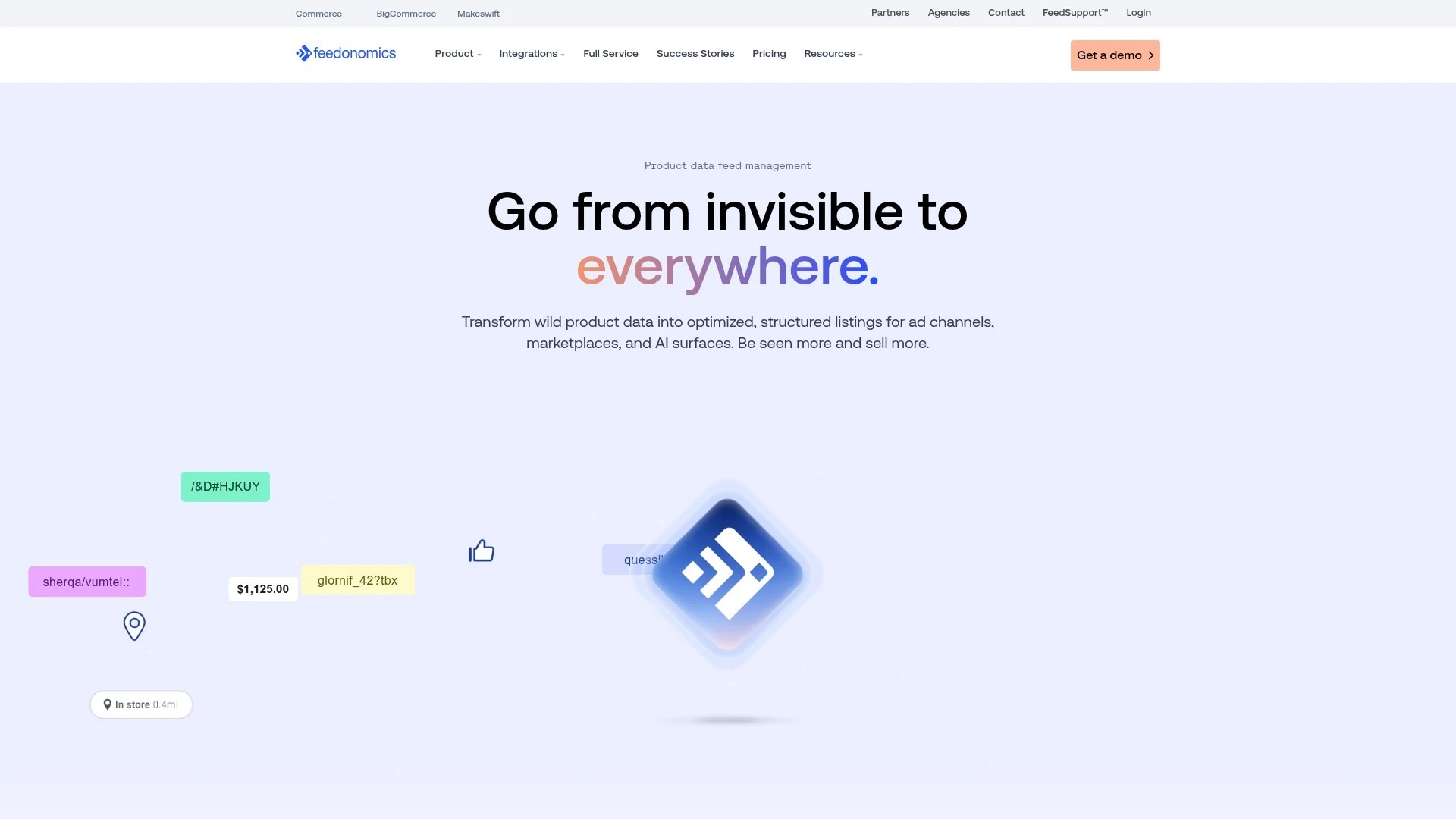
Feedonomics homepage — enterprise feed management platform referenced in this guide.
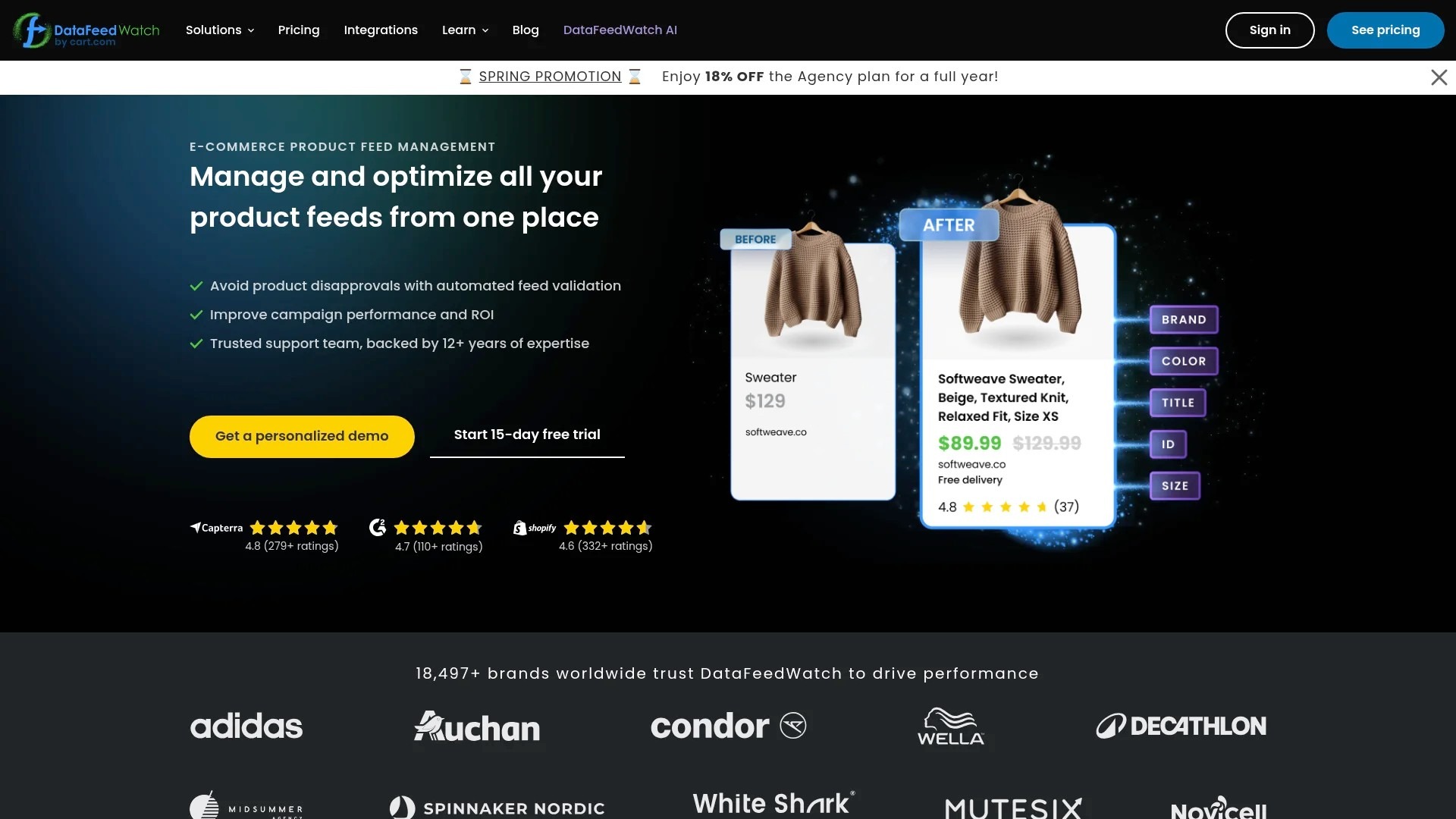
DataFeedWatch homepage — multi‑channel feed optimization tool mentioned in this guide.
The platform you choose matters less than how you use it. Focus on building optimization rules that improve feed quality automatically.
For brands with technical resources, the Google Shopping API enables advanced automation beyond what feed platforms offer.
Your feed should update automatically when product data changes. If a product goes out of stock, that should reflect in Google Merchant Center within hours, not days.
Set up automated feed submissions on a schedule that matches your inventory update frequency. High-velocity catalogs might need hourly updates. Stable inventories can update daily.
Configure alerts for feed errors. If your feed fails to process, you need to know immediately. Most platforms offer email or Slack notifications when errors occur.
Monitor your Merchant Center diagnostics dashboard weekly. Check for disapproved products, policy violations, and data quality issues. Address them before they impact performance.
The Content API for Shopping lets you update product data in real-time without file uploads. This matters for dynamic pricing, inventory management, and promotional updates.
If you run flash sales or frequently adjust prices based on competition, API integration keeps your Google Shopping data synchronized with your website. Customers see accurate prices and availability.
API integration requires development resources. Evaluate whether the benefits justify the implementation cost for your business.
Optimization isn't about implementing best practices and calling it done. It's about testing hypotheses, measuring results, and iterating. Large catalogs give you the statistical power to run meaningful tests.
Your testing framework should isolate variables and measure impact systematically. Don't change five things at once and guess which one worked.
Title optimization has the highest impact potential and the most variables to test. Front-loading brand vs product type. Including specifications vs keeping titles short. Adding promotional text vs purely descriptive titles.
Run structured tests by segmenting products using custom labels. Create two groups with similar historical performance. Apply different title templates to each group. Monitor click-through rate and conversion rate for four weeks.
The group with better CTR and stable conversion rate wins. Roll out that title structure to the rest of your catalog.
Test one variable at time: brand position, specification inclusion, character length, promotional text. Sequential testing builds knowledge of what works for your specific catalog.
Image testing requires more manual effort than title tests, but the impact can be substantial. Test product-only images vs lifestyle context. Test different angles or detail levels.
Start with your top 50 products by impression volume. These products have enough traffic to generate statistically significant results quickly.
Create alternative images for half the group. Monitor performance for six weeks. Images often take longer to show clear winners than title changes because the difference might be subtle.
For compelling results in our overall Google Shopping optimization strategies, image quality consistently ranks among top factors.
Campaign experiments in Google Ads let you test different bidding strategies on the same product set. Split traffic between your control campaign (current strategy) and experiment campaign (new strategy).
Test Target ROAS at different levels. Try Maximize Conversion Value vs Target ROAS. Experiment with different attribution models.
Run experiments for at least 30 days to account for weekly and monthly seasonality patterns. Look beyond immediate ROAS to metrics like new customer acquisition and lifetime value impact.
The winning strategy isn't always the one with the highest immediate ROAS. Sometimes slightly lower ROAS with higher new customer volume wins long-term.
Large catalogs aren't a liability. They're an asset when you have the systems to optimize them effectively. Your competitors managing 50 SKUs manually can't compete with your optimized 5,000-product machine.
The tactics in this guide work because they scale. Feed rules, automated bidding, template-based optimization, and systematic testing multiply your effort. You're not optimizing products one by one. You're building frameworks that improve thousands of products simultaneously.
Start with feed architecture and title optimization. Those two areas deliver the fastest impact for large catalogs. Get your product data structured correctly using custom labels and consistent attributes. Implement title templates that front-load your most important keywords.
Then layer in smart bidding, campaign structure refinement, and testing protocols. Each optimization builds on the previous one.
The catalogs that win in Google Shopping aren't the smallest or the simplest. They're the ones with the best systems. Build those systems, and your large catalog becomes the reason you win.
If you need help understanding feed requirements for your specific catalog, our 2025 feed requirements guide covers technical specifications and compliance issues. And for insights on how competitors structure their campaigns, check out our competitive analysis strategies.