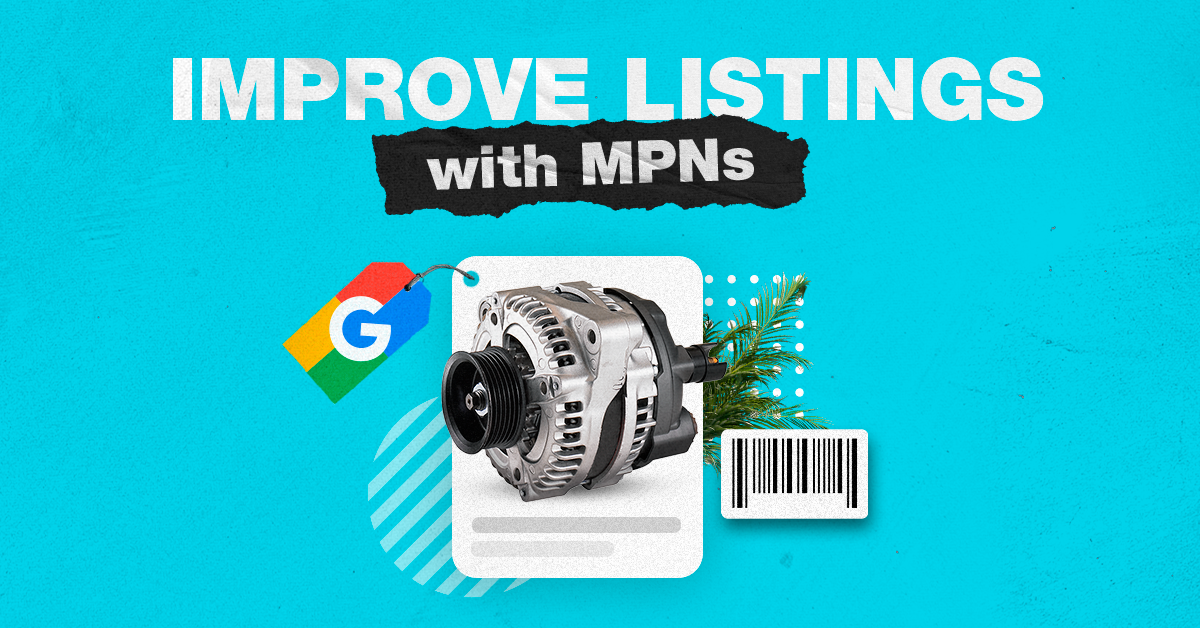
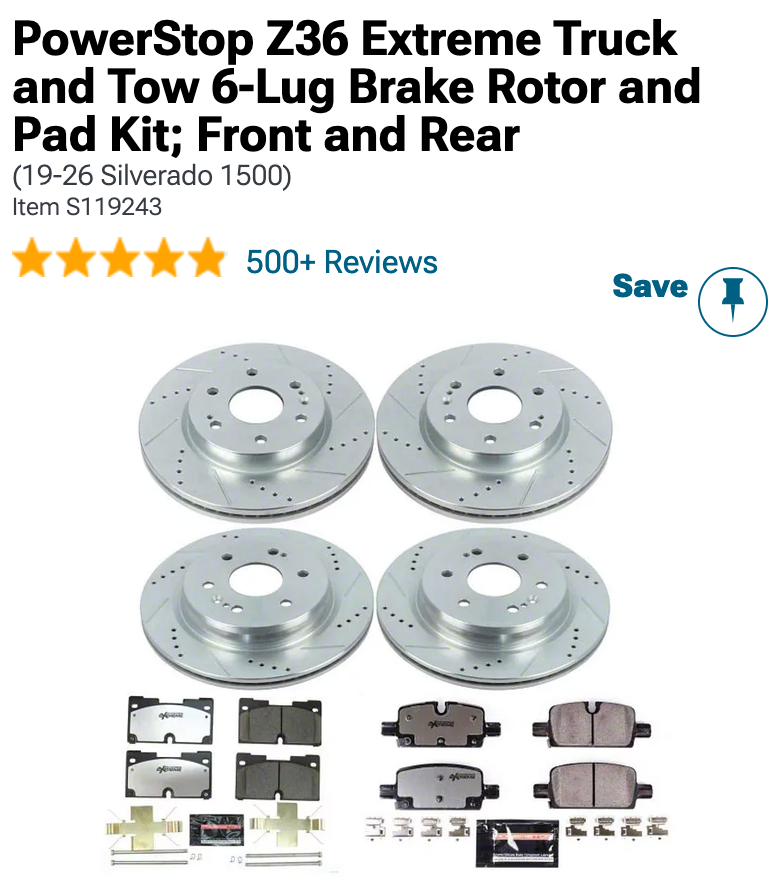
The MPN, or Manufacturer Part Number, is the designation a maker gives to an individual product. Take a brake pad set for a 2018 Silverado 1500 and the equivalent for a 2500; while they may be near indistinguishable in appearance, you will find they have separate MPNs since one cannot be used in place of the other. It is that code which allows both the search engine and the customer to make the distinction.
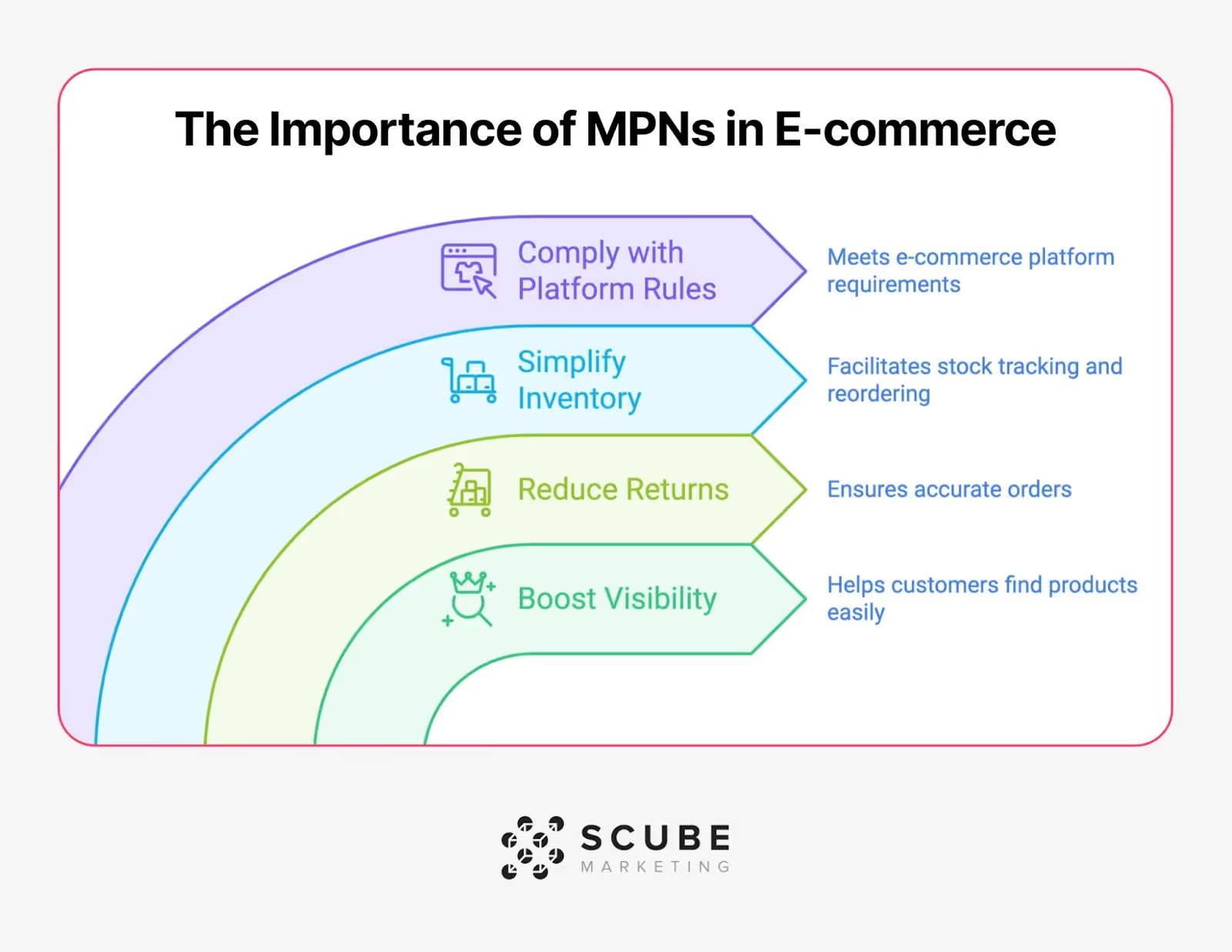
Generic ecommerce advice treats MPN as a visibility booster — one more field that helps you rank. In a spec-driven catalog, it's closer to a load-bearing wall. Three failure modes show up specifically at scale, and each one gets worse the bigger the catalog gets.
Near-identical parts stop being distinguishable
For an auto or industrial catalog there can be thousands of the same part for a dozen different model years and engine types, with titles that vary by no more than a word. In the absence of a proper MPN to set each variant apart, the platform’s matching system has no way of knowing whether your feed is showing a brake pad set for a 2018 Silverado 1500 or a 2500. As a result, the listings end up in competition with one another rather than with your true rivals.
Missing or duplicated MPNs create disapprovals and warnings that compound.
Errors like missing or duplicated Manufacturer Part Numbers (MPNs) result in rejections and warnings that pile up. One mistake is fixable. If the same mistake is copied and reused across templates for every variant in a product line or left blank on a bulk upload batch, it results in hundreds or thousands of listings flagged all at once. At low numbers of SKUs this cleanup takes just an afternoon. But at high numbers of SKUs this becomes a recurring feed health issue that eats into ad spend and account standing before anyone notices the root cause.
Long-tail, fitment-specific searches go unanswered.
Someone searching for "Alternator for 2016 F150 5.0L" is already diagnosing the problem and knows the specifications. Queries like this have very little competition from generic listings and this traffic is among the highest converting. But if the identifier data doesn't support such specificity, you don't just lose to a competitor; you lose because results are completely useless. None of these failure modes show up clearly in a small catalog. They result when a small data quality problem gets multiplied by the number of SKUs until it becomes structural.
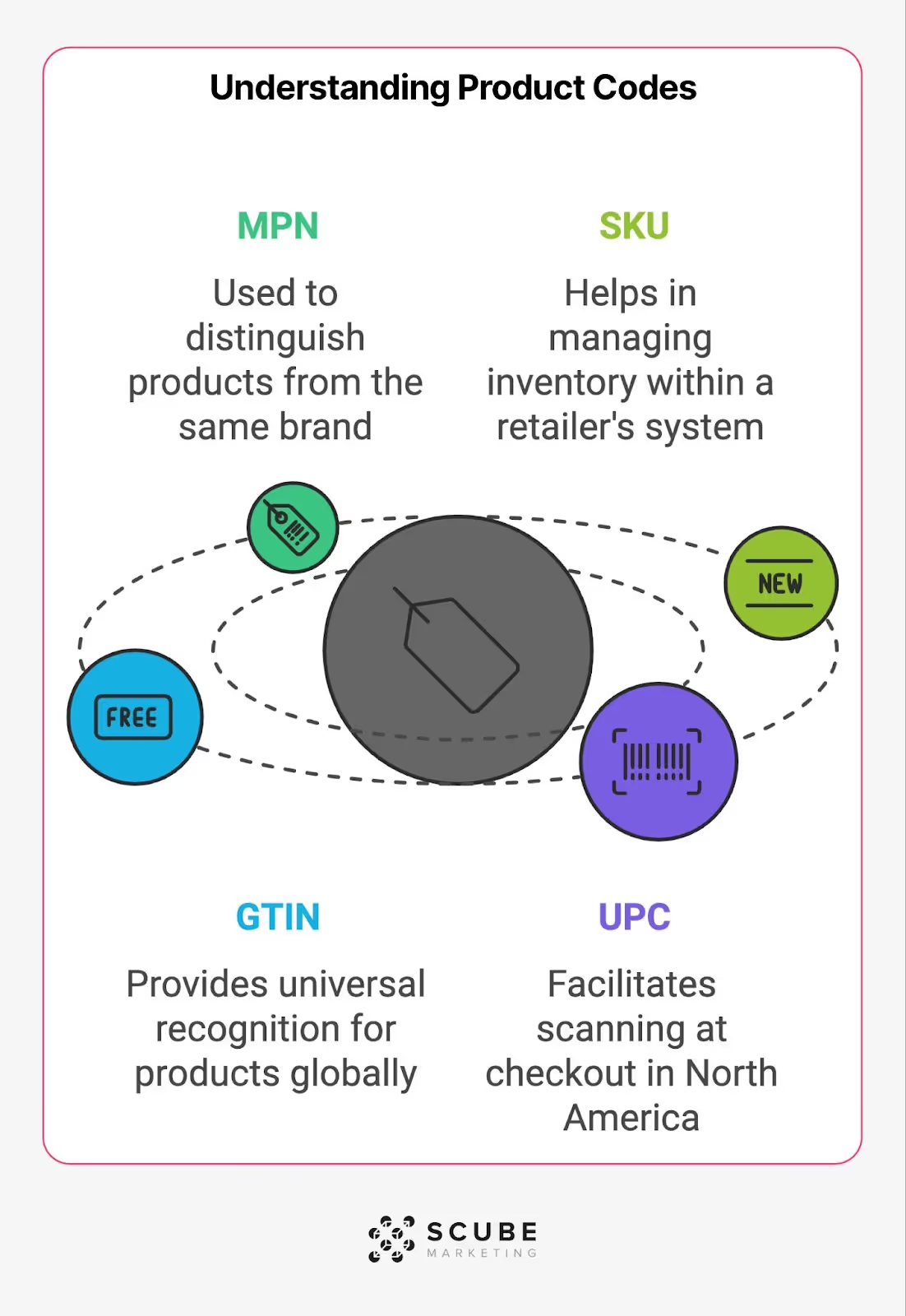
Here are four identifiers that get used interchangeably in conversation and inconsistently in feeds and they are the problem. Take for example an alternator for 2016 F150 with 5.0L engine. Each identifier means different things coming from different sources and serving different systems.

A buyer searches using the OEM number stamped on their old part. Your internal system tracks the SKU. The manufacturer assigned an MPN that may or may not match either. And the barcode on the box is a GTIN that ties to none of the above unless someone built that mapping on purpose.
If you take anything away from this section, it’s this: never let SKU stand in for MPN in a feed, and never assume the OEM number and the MPN are the same value just because they're both stamped somewhere on the box. Mapping all four correctly is what lets a buyer's search, your inventory system, and the platform's catalog all agree on what part they're talking about.
MPNs aren’t treated the same across all platforms, so you’ll need to understand the nuances. When you sell a 20,000 SKU catalog this matters WAYYYY more than for a 200 SKU one. One error will get multiplied across every single variant.
For Google you’re not required to have an MPN per se, but you do need to have enough identifying info to confirm what you’re selling, whether it’s GTIN, brand or MPN. If the products don't have a GTIN (common with aftermarket and OEM cross-reference parts), brand and MPN are what stand in for it.
Google does require you to use the MPN the manufacturer assigned. Don't invent one, and don't reuse it across variants. Each size, finish, or spec variation needs its own value.
Sounds standard enough, but where we see feeds go wrong is that Google doesn’t disapprove your listing if it’s missing an identifier. Instead, your listing stays live but gets lower priority than a competitor's identical part that submitted correct identifiers.
For a huge catalog, that is a major issue. A disapproval was easy to spot in Merchant Center to fix. But “downgrading” your listings quietly will show up as "traffic is down" three months later with no obvious cause.
MPN is optional on Amazon for many categories. But it’s always required at the time you create a new listing for others (including automotive, industrial & electronics parts). The purpose of MPN is to prevent Amazon's product matching service from combining your listing with another seller who has listed a variation of the same item using an alternate title.
The most common mistakes made as a result of violating these guidelines include: do not enter your company's SKU in the MPN field, do not enter your UPC or EAN in that field, nor should you simply make something up if you can’t find the one given by the manufacturer.
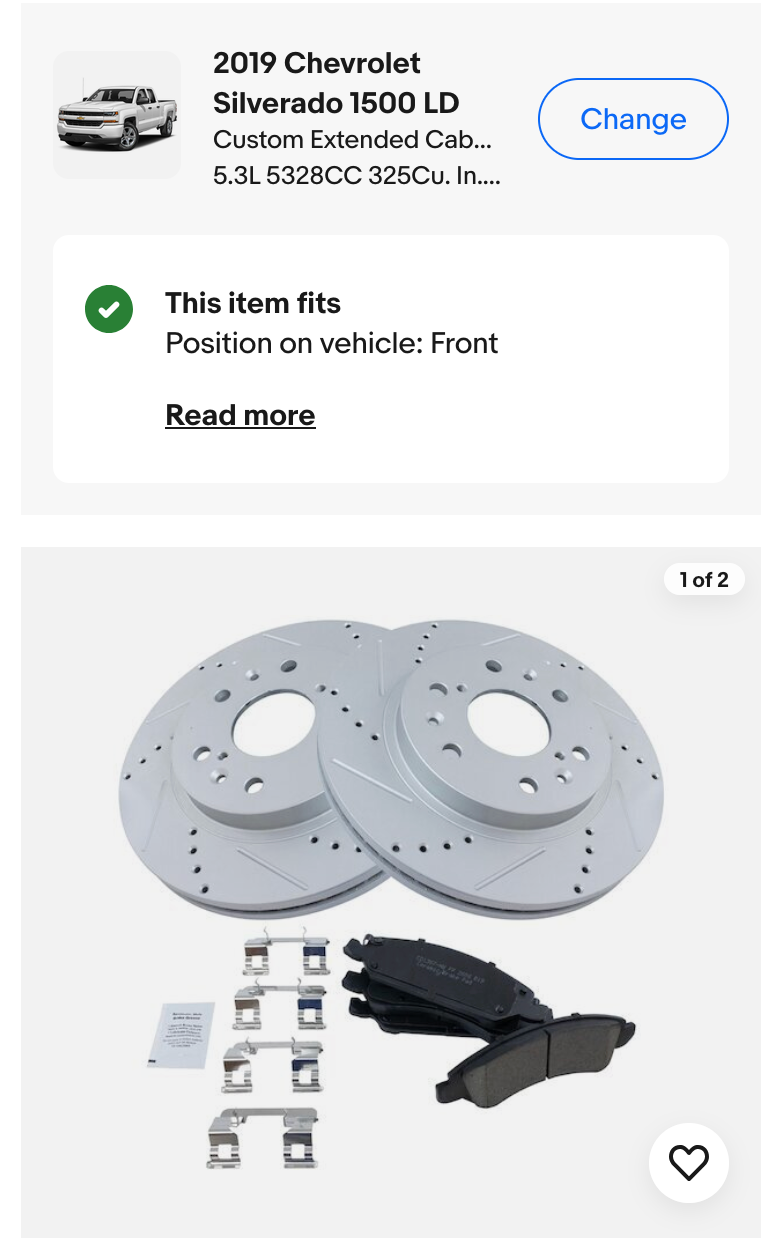
MPN does the most work on eBay but specifically within Motors Parts & Accessories and Business & Industrial, where it feeds eBay's fitment engine. Their Fitment Plus Auto tool (launched October 2025) uses brand and MPN to populate and update vehicle compatibility automatically. A missing or incorrect MPN in these categories can silently break the fitment data on the listing itself.
MPN is not a value you should be guessing at. If you put the wrong one, it can mean incorrect fitment data which results in a return.
Most MPN advice assumes the problem is finding the number. In a real spec-driven catalog, the number usually exists somewhere but the harder problem is that it changes, splits, or gets attached to the wrong product without anyone noticing. Three patterns account for most of it.
Multi-variant products get one MPN when they need several
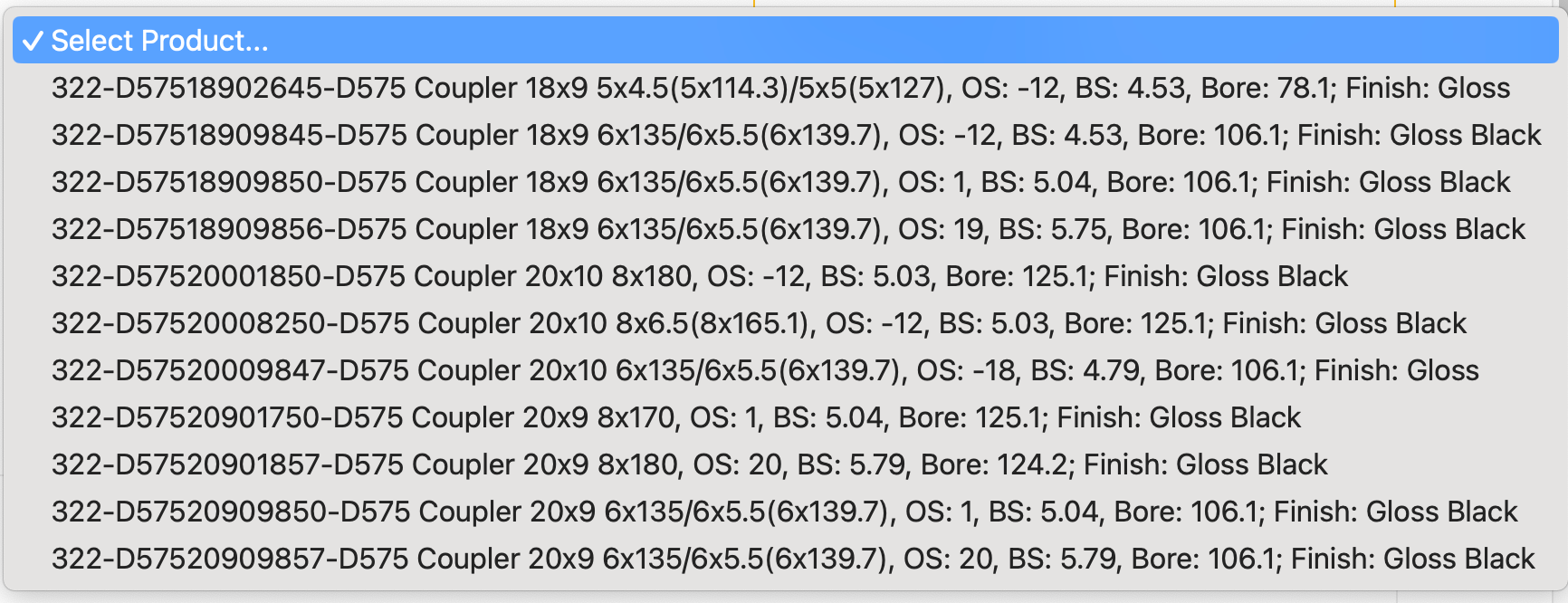
Let’s take a wheel that comes in three finishes and four bolt patterns. That’s up to twelve distinct configurations, likely each with their own MPN. The mistake happens when someone pulls the base product’s MPN and applies it to each of these variants. That means you now have a feed where twelve listings are sharing a single identifier that only correctly describes one of those listings. A platform’s matching system is going to see this as duplicate or conflicting data rather than twelve separate products.
Superseded part numbers quietly break historical listings
Manufacturers redesign components (a redone bracket, an updated sensor, a running revision during model year), then they create a brand-new MPN. Some manufacturers may list the old MPN as a reference for the newer version, others don’t. A catalog based off of last years' manufacturer information will show the older MPN tied to a product that is currently different than the product being shipped. Nothing about this looks broken in your system. The listing still has an MPN, fitment data, sales history. It's simply pointing at a part number the manufacturer has moved on from, and buyers cross-referencing the current number won't find it.
OEM and aftermarket cross-references get merged into a single field
A buyer searching by the Ford part number and a buyer searching by the aftermarket manufacturer's part number are looking for functionally the same product, but they're searching by two different, unrelated identifiers. Feeds frequently pick one (usually whichever number the internal system already had on file) and treat the other as unnecessary. That's a visibility gap on the exact long-tail, high-intent searches these buyers actually run.
The tricky thing with these issues is that if you pull a handful of listings to spot-check, they’re likely not going to show up. But across a catalog with thousands of SKUs, it’s a slow accumulation across a catalog. It could be a few hundred variant SKUs sharing a parent MPN, a few dozen superseded numbers nobody's re-synced, a cross-reference field that was never built out past the SKUs someone happened to prioritize two years ago. These may seem like minor data gaps but for a large catalog it’s a big visibility issue that’s not going to fix itself.
A catalog of 40 SKUs is easy to fix by hand. But fixing MPN errors across a catalog with thousands of variants is a workflow problem, and it needs to be treated as one.
Bulk verification before bulk correction
The first run does nothing to fix any problems. All you want to do is simply identify where there are conflicting values in the data. Taking each MPN and comparing it to product title, brand name and category and then flagging all of the duplicate entries, blank entries and entries which don’t appear to be formatted by the manufacturer to indicate how large the problem is will turn “we have some bad MPNs out there” into an actual priority-based list.
Cross-referencing against manufacturer source data, not internal history
The values for a feed’s MPN field are based on what was used to enter the product into the inventory at its initial entry. This could be correct, but it may also reflect obsolete numbers, or incorrect references to OEMs. It is only by comparing with the most recent catalogs of manufacturers or distributors that you will catch the errors that don’t show up as being errors: an entry that exists properly formatted, but is just wrong.
Catching reuse across variants specifically
Because MPN errors at the variant level are caused by copying parent product values across size, finish or configuration, these errors can group together. One root cause for dozens of similar flagged listings. Grouping your flagged SKUs by their parent product prior to addressing each individually will often reveal that the majority of the issues are being caused by a few template or upload issues. If that’s the case, then the fix would need to be structural (fix template / rerun batch), versus manual (correct each listing manually).
Re-verification on a cadence, not a one-time pass
A catalog is not static. Manufacturers create new versions of parts and catalogs get new SKUs. Bulk uploads can reintroduce old templates that nobody notices. A verification workflow that runs once and stops is a temporary fix on a problem that regenerates continuously at this scale.
At a few hundred SKUs, MPN cleanup is a checklist. At a few thousand, it's a recurring process with its own cadence because the errors that matter here aren't isolated. They become the same mistake multiplied by however many variants share the product template that caused it.
The thing with MPNs is not that you don’t have one, that’s not out of the ordinary in a large catalog. The problem comes down to guessing at the MPN or filling it in for the sake of having it filled in.
The manufacturer never assigned one
Small aftermarket manufacturers, private-label parts, and some overseas suppliers don't always issue formal MPNs the way major OEMs do. When that's confirmed, the correct move is GTIN if one exists, or brand plus a verified model/spec identifier if it doesn't. Setting identifier_exists to false is appropriate here, and it's a normal, compliant state rather than a red flag.
The part is genuinely obsolete or superseded with no clean successor
When a manufacturer discontinues a product and the replacement isn't a clean one-to-one swap (a kit, a redesigned assembly, a part that now needs an adapter) forcing the old MPN onto the new item is less accurate than leaving the field to reflect what's actually being sold. Put the current part's real MPN in the mpn field. If you want the discontinued number to stay findable, handle it in the listing's own content (a short 'replaces part #X' line, an FAQ entry, or an internal cross-reference table) not as a separate feed attribute, since none of the major platforms have a standard field built for storing a superseded number.
The part is universal or fits a category eBay/Google/Amazon doesn't treat as identifier-driven
Fasteners, generic hardware, and some universal-fit accessories genuinely don't carry a meaningful MPN, and platforms don't expect one. Trying to manufacture an identifier here adds noise without adding accuracy.
The MPN exists but hasn't been verified yet
This is the case worth treating differently from the others. It's not "no MPN," it's "unconfirmed MPN," and it shouldn't be defaulted to blank as a shortcut. A part awaiting verification against manufacturer or distributor data is a queue item, not a permanent identifier_exists=false listing.
A blank MPN is a defensible, accurate state. Guessed, reused from a similar product, or copied from an OEM cross-reference and mislabeled as MPN, those are the moves that cause disapprovals, mismatches, and returns.
Everything in this article (the use of variant part numbers over and over again (MPN), the replacement of parts, confusion by manufacturers when creating OEM cross-references, bulk verification) all lead to the same fundamental fact: At a few thousand SKUs, no one can just enter MPNs into a database for an afternoon and expect them to be accurate.
Accuracy is fundamentally a design feature of how you build and maintain your catalog.
You don’t get most of those problems if you have a well-built, intentional feed to create your catalog. The reason you pull variant MPNs properly is because the template is set-up to account for the level of configurations rather than treating each variant as a single product with options. You catch superseded parts because you are constantly comparing against manufacturer’s data, not pulling some old import file once. You put OEM and aftermarket cross references in separate fields created for their specific purposes so they do not compete with the same field.
The catalogs that will struggle with MPN issues are not going to be the ones with poor quality data. Those will be the ones who had a feed structure designed to get products online quickly, but were never concerned about holding up at scale. This is fixable, but it’s a project concerning the overall structure of the feeds, not simply a spreadsheet pass.
If your catalog is carrying any of the patterns in this piece (reused variant MPNs, stale superseded numbers, OEM/aftermarket fields fighting each other) or you suspect it is, that's usually a sign the underlying feed needs restructuring.
See how we approach data feed management for high-SKU catalogs
Sometimes this does happen. Take sizing of clothing as an example. Hardware lines also use one MPN for a small range of small sizes if the manufacturer itself doesn't differentiate them. The test is whether the manufacturer treats them as one part or as separate parts. If documentation from the manufacturer lists separate numbers, your feed should also list them even if differences seem trivial. If the manufacturer really uses one number for the whole range, matching that is right: the mistake is only if you collapse distinct manufacturer numbers into one to save effort building your feed.
Both, but in different ways. OEM parts are generally assigned by the manufacturer an OEM Part Number that serves as an MPN for each OEM part. The confusion lies not with OEM parts having an MPN but with consumers searching on the vehicle manufacturers' OEM part numbers (i.e. A Ford part number) to locate the OEM equivalent. Using your own field to include both the true MPN and the OEM cross reference will allow you to capture both search intents.
No. This is the single most common mislabeling in the category. The OEM number and the MPN can be the same value if the part is genuinely made by that OEM, but when you're selling an aftermarket equivalent, they're two different identifiers pointing at compatible parts. Put the OEM number in a cross-reference or compatibility field, not the MPN field. Platforms treat MPN as a manufacturer's own designation. Submitting someone else's number as your product's MPN is exactly the kind of "incorrect identifier" that gets flagged.
Update the primary MPN to the current part's number; don't leave a superseded number sitting in the MPN field just because it has search history. The old number belongs in the listing's cross-reference or compatibility content, where it still helps a buyer confirm they've found the right replacement — it just shouldn't be presented as the current product's active identifier.
Only if it's actually the manufacturer's number and the distributor hasn't altered it. Some distributors append internal prefixes or codes for their own tracking. Verify against the manufacturer's own catalog or documentation before treating a distributor-supplied number as the MPN; a distributor code submitted as an MPN reads the same to a platform as any other fabricated value.
Yes. A universal-fit product with no real variation may not need or have an MPN at all, and forcing one adds nothing. A multi-fitment product like a wheel, where the same visual product exists across multiple bolt patterns or finishes, is the opposite case: it needs an MPN per valid configuration, because each configuration is a genuinely different manufacturer part, even though it looks identical in a photo.